

Overview
When you run a team in Agno, the response you get (TeamRunResponse) includes detailed metrics about the run. These metrics help you understand resource usage (like token usage and time), performance, and other aspects of the model and tool calls across both the team leader and team members. Metrics are available at multiple levels:- Per-message: Each message (assistant, tool, etc.) has its own metrics.
- Per-tool call: Each tool execution has its own metrics.
- Per-member run: Each team member run has its own metrics.
- Team-level: The
TeamRunResponseaggregates metrics across all team leader messages. - Session-level: Aggregated metrics across all runs in the session, for both the team leader and all team members.
Where Metrics Live
TeamRunResponse.metrics: Aggregated metrics for the team leader’s run, as a dictionary.TeamRunResponse.member_responses: Individual member responses with their own metrics.ToolExecution.metrics: Metrics for each tool call.Message.metrics: Metrics for each message (assistant, tool, etc.).Team.session_metrics: Session-level metrics for the team leader.Team.full_team_session_metrics: Session-level metrics including all team member metrics.
Example Usage
Suppose you have a team that performs some tasks and you want to analyze the metrics after running it. Here’s how you can access and print the metrics:Team Leader Metrics
Team Leader Message Metrics
This section provides metrics for each message response from the team leader. All “assistant” responses will have metrics like this, helping you understand the performance and resource usage at the message level.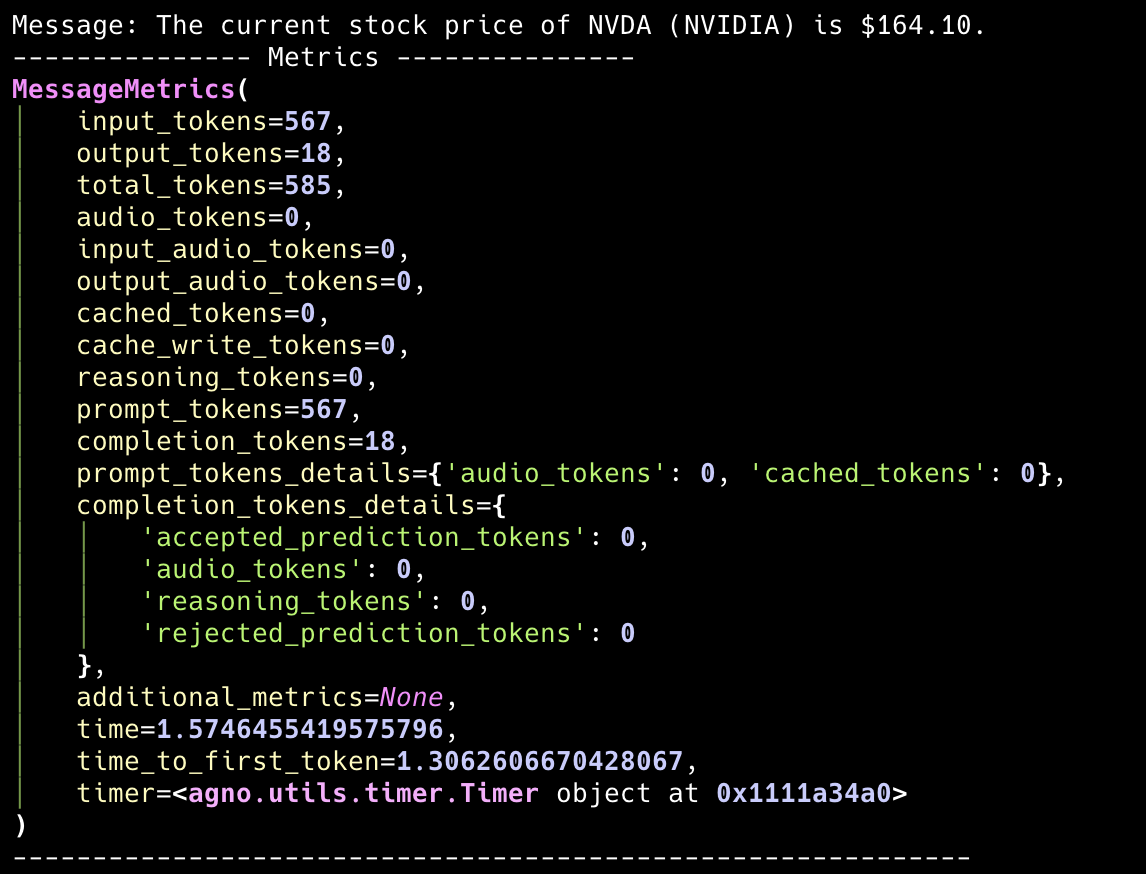
Aggregated Team Leader Metrics
The aggregated metrics provide a comprehensive view of the team leader’s run. This includes a summary of all messages and tool calls, giving you an overall picture of the team leader’s performance and resource usage.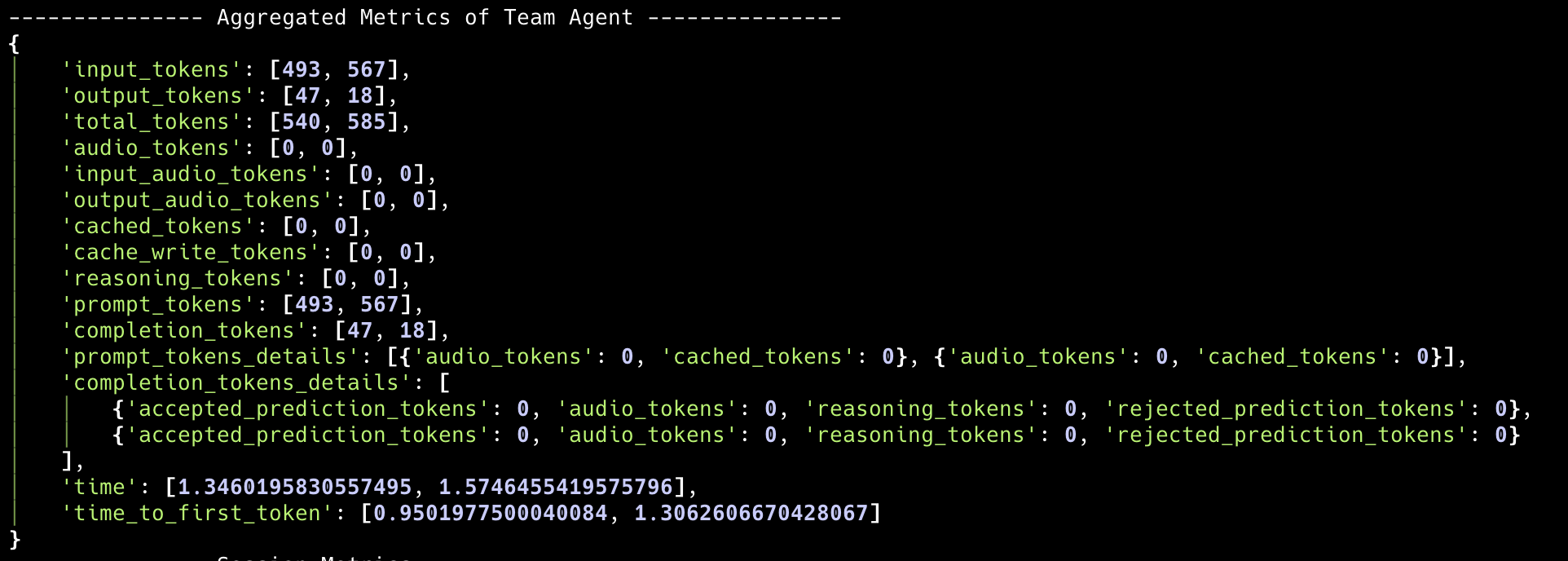
Team Member Metrics
Individual Member Metrics
Each team member has their own metrics that can be accessed throughteam.run_response.member_responses. This allows you to analyze the performance of individual team members.
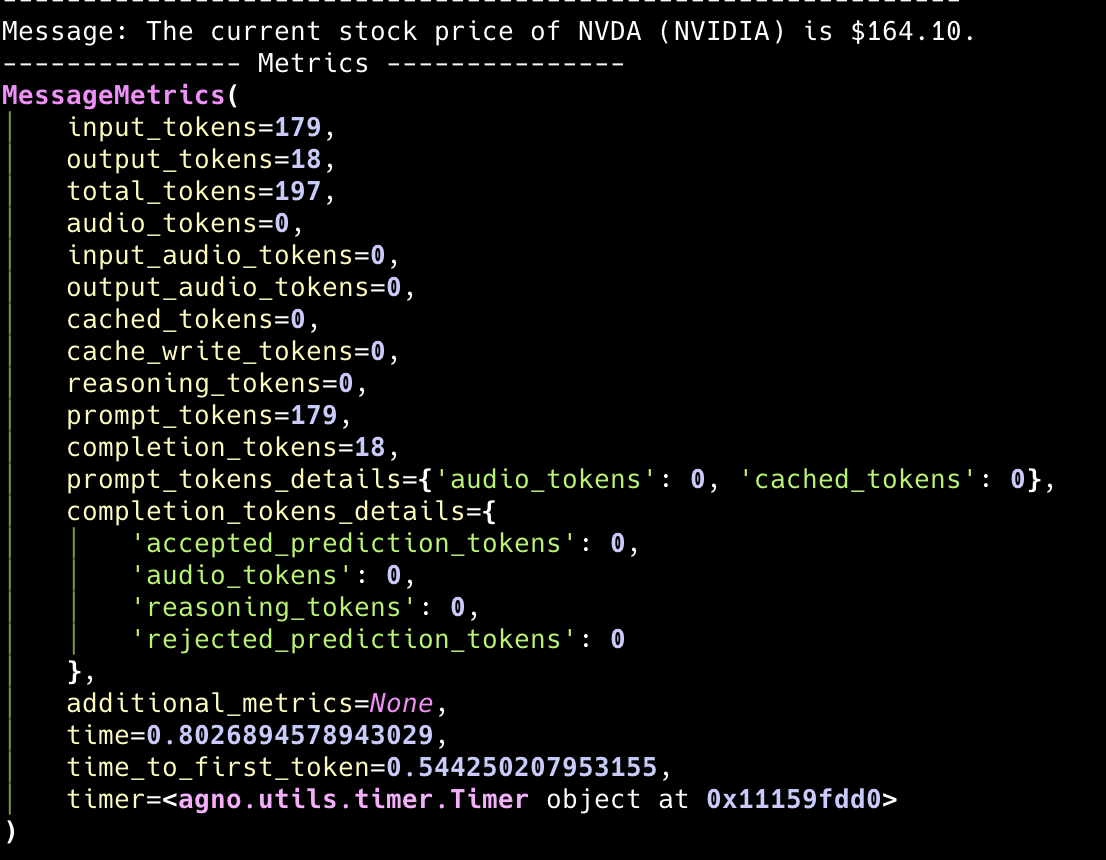
Member Response Structure
Each member response contains:messages: List of messages with individual metricsmetrics: Aggregated metrics for that member’s runtools: Tool executions with their own metrics
Session-Level Metrics
Team Leader Session Metrics
Theteam.session_metrics provides aggregated metrics across all runs in the session for the team leader only.
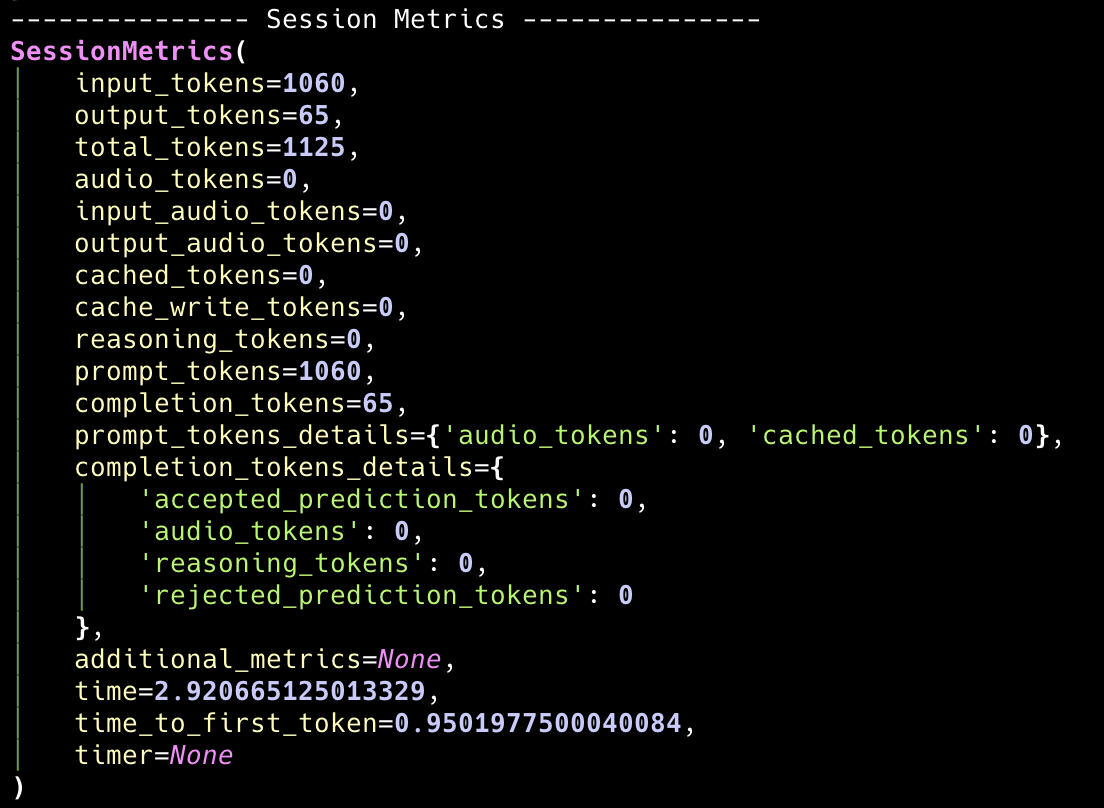
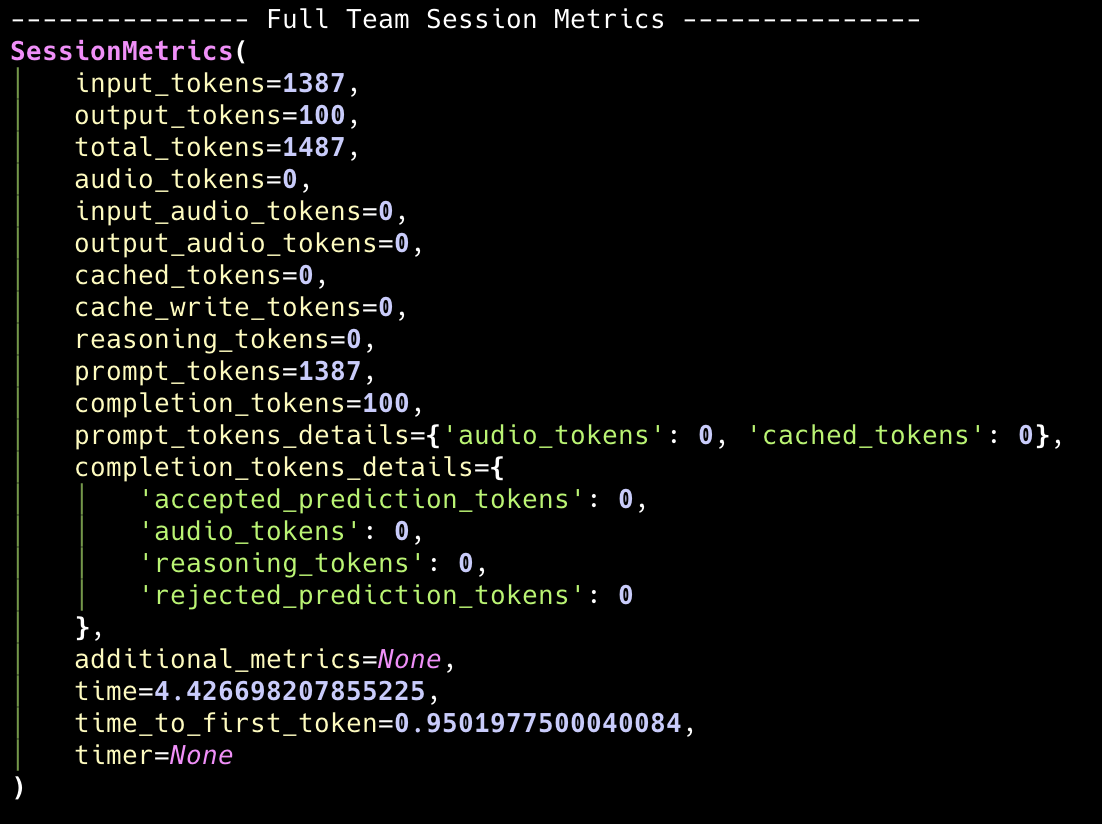
Full Team Session Metrics
Theteam.full_team_session_metrics provides comprehensive metrics that include both the team leader and all team members across all runs in the session.
How Metrics Are Aggregated
Team Leader Level
- Per-message: Each message (assistant, tool, etc.) has its own metrics object.
- Run-level:
TeamRunResponse.metricsis a dictionary where each key (e.g., input_tokens) maps to a list of values from all assistant messages in the run. - Session-level:
team.session_metricsaggregates metrics across all team leader runs in the session.
Team Member Level
- Per-member: Each team member has their own metrics tracked separately.
- Member aggregation: Individual member metrics are aggregated within their respective
RunResponseobjects. - Full team aggregation:
team.full_team_session_metricscombines metrics from the team leader and all team members.
Cross-Member Aggregation
- Session-level:
team.full_team_session_metricsprovides a complete view of all token usage and performance metrics across the entire team.
Accessing Member Metrics Programmatically
You can access individual member metrics in several ways:Metrics Comparison
MessageMetrics Params
Note: Not all fields are always present; it depends on the model/tool and the run.
SessionMetrics Params
Note: Not all fields are always present; it depends on the model/tool and the run.