Documentation Index
Fetch the complete documentation index at: https://docs-v1.agno.com/llms.txt
Use this file to discover all available pages before exploring further.
Integrating Agno with Arize Phoenix
Arize Phoenix is a powerful platform for monitoring and analyzing AI models. By integrating Agno with Arize Phoenix, you can leverage OpenInference to send traces and gain insights into your agent’s performance.
Prerequisites
-
Install Dependencies
Ensure you have the necessary packages installed:
pip install arize-phoenix openai openinference-instrumentation-agno opentelemetry-sdk opentelemetry-exporter-otlp
-
Setup Arize Phoenix Account
- Create an account at Arize Phoenix.
- Obtain your API key from the Arize Phoenix dashboard.
-
Set Environment Variables
Configure your environment with the Arize Phoenix API key:
export ARIZE_PHOENIX_API_KEY=<your-key>
Sending Traces to Arize Phoenix
-
Example: Using Arize Phoenix with OpenInference
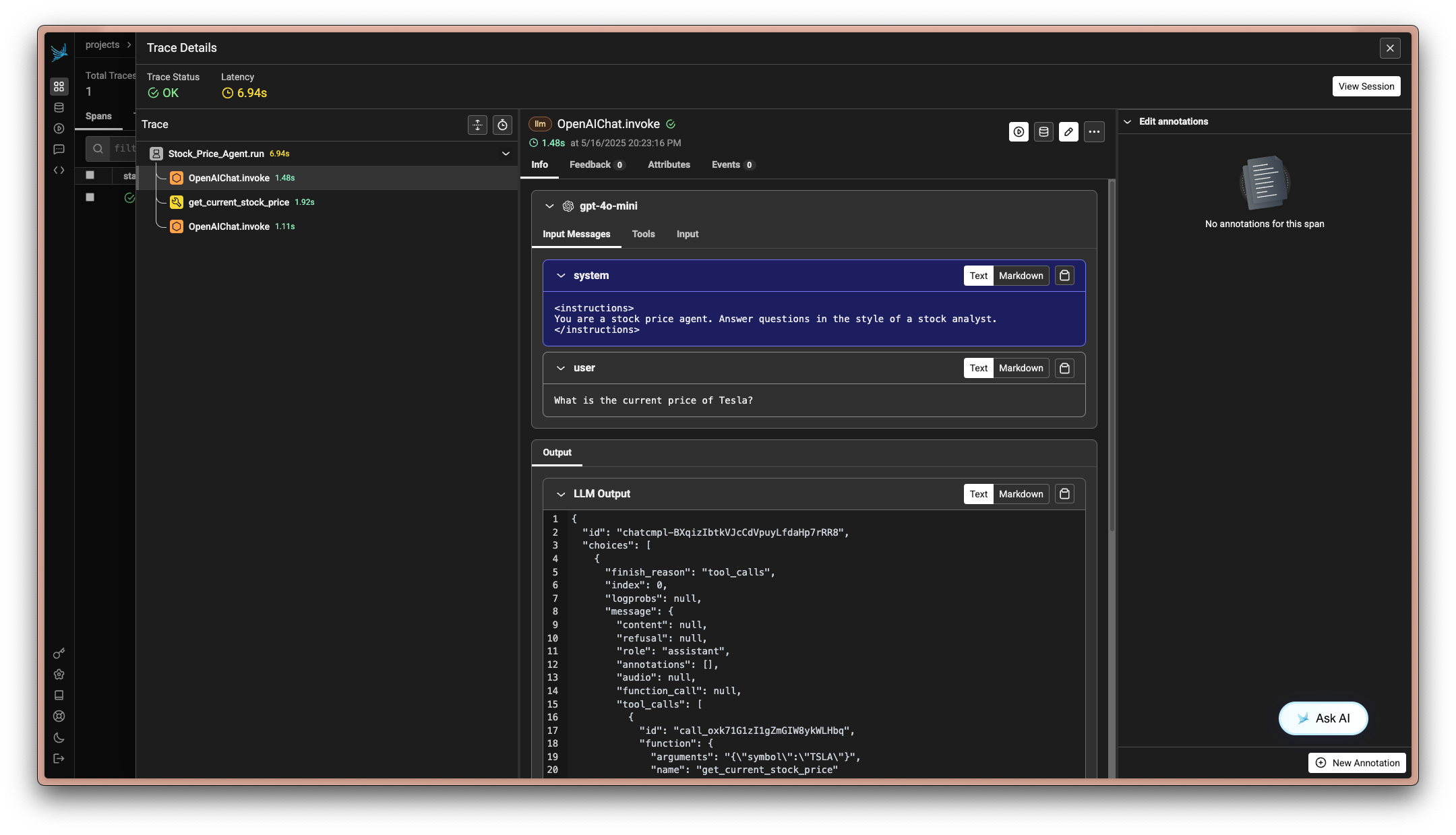
This example demonstrates how to instrument your Agno agent with OpenInference and send traces to Arize Phoenix.
import asyncio
import os
from agno.agent import Agent
from agno.models.openai import OpenAIChat
from agno.tools.duckduckgo import DuckDuckGoTools
from phoenix.otel import register
# Set environment variables for Arize Phoenix
os.environ["PHOENIX_CLIENT_HEADERS"] = f"api_key={os.getenv('ARIZE_PHOENIX_API_KEY')}"
os.environ["PHOENIX_COLLECTOR_ENDPOINT"] = "https://app.phoenix.arize.com"
# Configure the Phoenix tracer
tracer_provider = register(
project_name="agno-research-agent", # Default is 'default'
auto_instrument=True, # Automatically use the installed OpenInference instrumentation
)
# Create and configure the agent
agent = Agent(
name="Research Agent",
model=OpenAIChat(id="gpt-4o-mini"),
tools=[DuckDuckGoTools(search=True, news=True)],
instructions="You are a research agent. Answer questions in the style of a professional researcher.",
debug_mode=True,
)
# Use the agent
agent.print_response("What is the latest news about artificial intelligence?")
Now go to the phoenix cloud and view the traces created by your agent. You can visualize the execution flow, monitor performance, and debug issues directly from the Arize Phoenix dashboard.
-
Example: Local Collector Setup
For local development, you can run a local collector using
import os
from agno.agent import Agent
from agno.models.openai import OpenAIChat
from agno.tools.duckduckgo import DuckDuckGoTools
from phoenix.otel import register
# Set the local collector endpoint
os.environ["PHOENIX_COLLECTOR_ENDPOINT"] = "http://localhost:6006"
# Configure the Phoenix tracer
tracer_provider = register(
project_name="agno-research-agent", # Default is 'default'
auto_instrument=True, # Automatically use the installed OpenInference instrumentation
)
# Create and configure the agent
agent = Agent(
name="Research Agent",
model=OpenAIChat(id="gpt-4o-mini"),
tools=[DuckDuckGoTools(search=True, news=True)],
instructions="You are a research agent. Answer questions in the style of a professional researcher.",
debug_mode=True,
)
# Use the agent
agent.print_response("What is the latest news about artificial intelligence?")
Notes
- Environment Variables: Ensure your environment variables are correctly set for the API key and collector endpoint.
- Local Development: Use
phoenix serve to start a local collector for development purposes.
By following these steps, you can effectively integrate Agno with Arize Phoenix, enabling comprehensive observability and monitoring of your AI agents.