

Building Blocks
The core building blocks of Agno Workflows are:Workflow Patterns
1. Basic Sequential Workflows
When to use: Linear processes where each step depends on the previous one. Example Steps: Research → Process research data in a function before next step → Content CreationFor more information on how to use custom functions, refer to the Advanced page.
- Sequence of Functions and Agents - Complete workflow with functions and agents
StepInput and StepOutput provides standardized interfaces for data flow between steps:
So if you make a custom function as an executor for a step, make sure that the input and output types are compatible with the StepInput and StepOutput interfaces.
This will ensure that your custom function can seamlessly integrate into the workflow system.Take a look at the schemas for StepInput and StepOutput.2. Fully Python Workflow
Keep it Simple with Pure Python: If you prefer the Workflows 1.0 approach or need maximum flexibility, you can still use a single Python function to handle everything. This approach gives you complete control over the execution flow while still benefiting from workflow features like storage, streaming, and session management. Replace all the steps in the workflow with a single executable function where you can control everything.- Function-Based Workflow - Complete function-based workflow
3. Step-Based Workflows
You can name your steps for better logging and future support on the Agno platform.This also changes the name of a step when accessing that step’s output inside a
StepInput object.
Parameters
Example
4. Conditional Steps
When to use: Conditional step execution based on business logic. Example Use-Cases: Topic-specific research strategies, content type routing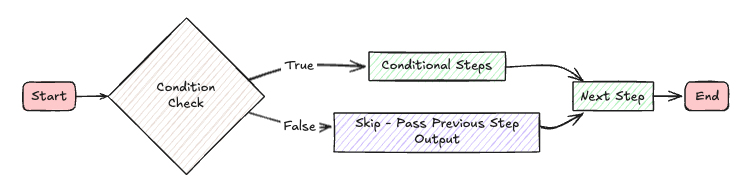
Parameters
Example
5. Parallel Execution
When to use: Independent tasks that can run simultaneously to save time. Example Use-Cases: Multiple research sources, parallel content creation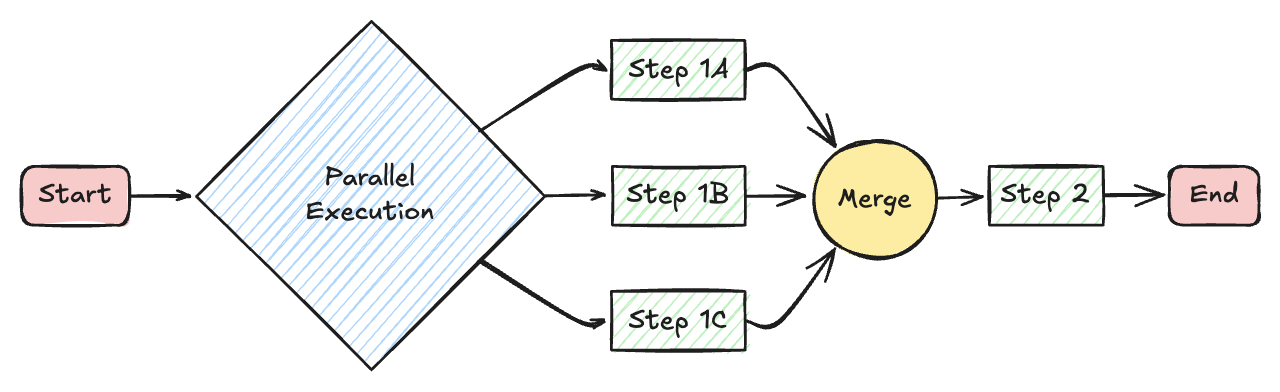
Parameters
Example
6. Loop/Iteration Workflows
When to use: Quality-driven processes, iterative refinement, or retry logic. Example Use-Cases: Research until sufficient quality, iterative improvement
Parameters
Example
7. Branching Workflows
When to use: Complex decision trees, topic-specific workflows, dynamic routing. Example Use-Cases: Content type detection, expertise routing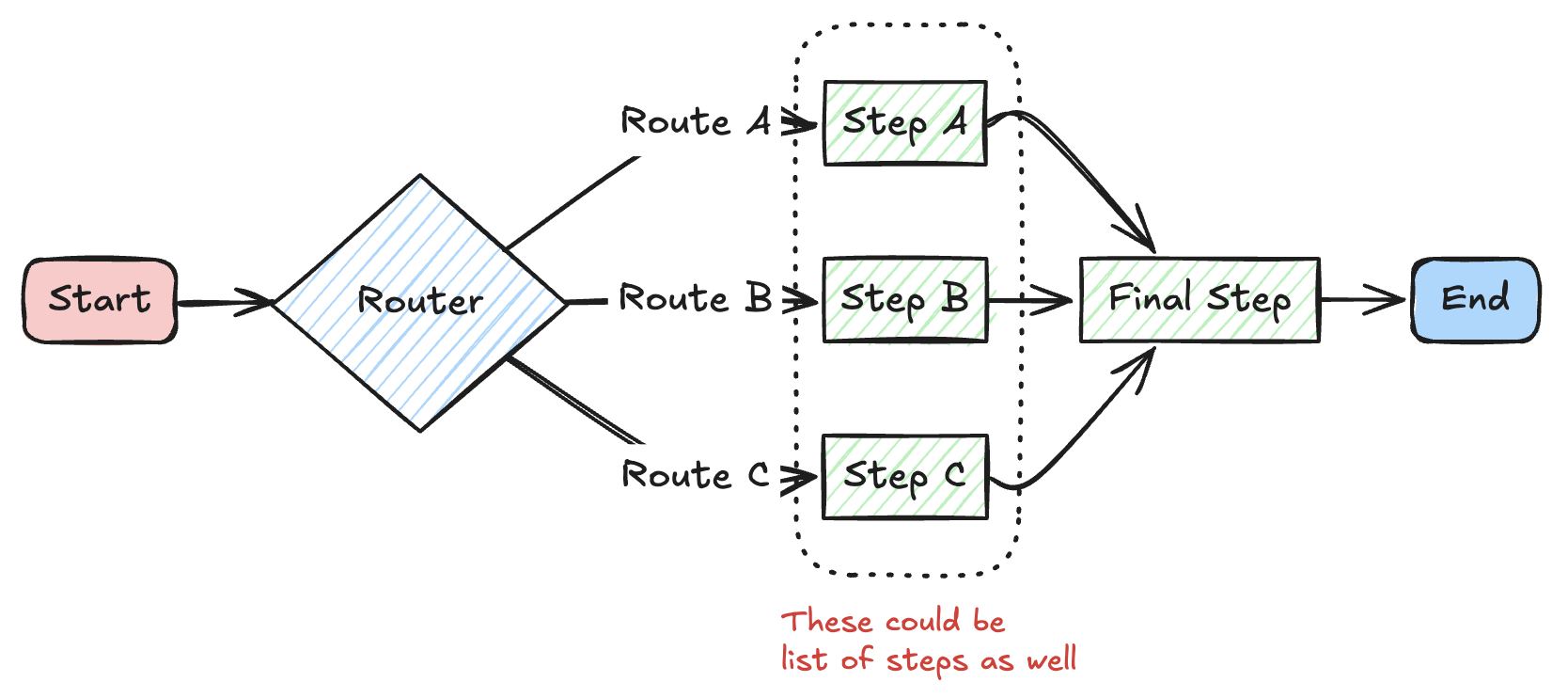
Parameters
Example
8. Steps: Grouping a list of steps
When to use: When you need to group multiple steps into logical sequences, create reusable workflows, or organize complex workflows with multiple branching paths. Better Routing: Use with Router for clean branching logicParameters
Basic Example
Steps with Router
This is whereSteps really shines - creating distinct sequences for different content types or workflows:
workflow_using_steps.pyworkflow_using_steps_nested.pyselector_for_image_video_generation_pipelines.py